
7 things to check on your website before autumn gets busy
Is Your Website Ready For Autumn? There’s a particular kind of quiet that settles over a lot of businesses in August. Enquiries slow down a bit, everyone’s on holiday at…

The dreaded 404 page – the sign that something isn’t working as it should be and, therefore, an absolute pain in the… Well, you get the idea!
A 404 page is essentially an error page: at some point or another, a user is going to find themselves here. But, it doesn’t have to be all doom and gloom. Not only does a 404 page present us with valuable data to identify (and resolve!) any problems in our website, but it can also work wonders for your SEO and present a ton of potential opportunities.
Ready to find out more? Keep reading.
A 404 error page (sometimes more recognised as ‘404 not found’) is an error message which will ping up when a website page can’t load. More specifically, 404 pages are a ripple effect of DNS issues: this means if a computer cannot draw a connection between a website and what’s been typed on a browser bar. We’ll go into the reasons why this can happen shortly.
We need 404 pages as they are designed to load in the place of a non-existent page on a website to explain the problem and direct the user elsewhere. The goal is to keep the visitor on your site and should therefore:
Okay, so you know the fundamentals, but why do these errors occur in the first place?
There are several reasons why a user might land on a 404 page – some will be website mistakes, and others will be user error.
This reasons include:
Broken inbound links are links between two websites that no longer work. For example, if another company was featuring a piece on Littlebigbox and were trying to link to our service page – littlebigbox.co.uk/website-design-southampton/ but accidentally typed an ‘s’ after ‘design’, this would create a broken inbound link. The result would, therefore, be a non-existent page: otherwise known as our trusty 404 page.
The same goes for internal links. They could have been typed wrong originally, or perhaps you changed the URL on the page that you’re linking to so it no longer links correctly.
There’s every possibility that a user could type your web address incorrectly into their browser – if so they’d quickly find themselves on your 404 page.
When users try to access hidden pieces of content on a website, they will be redirected to a 404 page as well. So, if you’re updating a part of your website and have kept it hidden, the user will land on the 404 error page in the meantime.
If you delete a page from your website and someone still tries to access it – either by typing it straight into their browser, or if it’s saved on their bookmarks or linked from elsewhere – the 404 page will appear.
A 301 redirect tells Google that a previous url should be “redirected” to a new url from that point onwards. You’d want to add in a 301 redirect if you make a modification to a URL on any of your site’s pages (this often is needed after a website redesign). If you don’t you’ll find higher traffic on your 404 page.
All of the reasons listed above are not favourable in Google’s books. In fact – minus the user error – these will seriously impact your SEO. Ensuring those errors don’t happen in the first place is a blog for another day; but, for now, let’s talk about how you can make the most out of your 404 page to counteract that potential dip in your SEO.
There are five key ways to make the most out of your 404 page. This include:
We’ll go through each one in turn.

Can you add some personality and fun into your 404 page through your copy and imagery? That way, you make your 404 page something that people actually quite want to see or, even better, share. You can’t get much better than this 404 page from Disney.com – who wouldn’t want to see Mike Wazowski staring at them?!

We love this 404 page from Netflix – it’s got a bit of everything, but its simplicity is what stands out to us. A short, snappy message that’s totally in line with their brand with one simple link to take them back to the homepage. It doesn’t need anything else – it’s spot on and still very memorable.
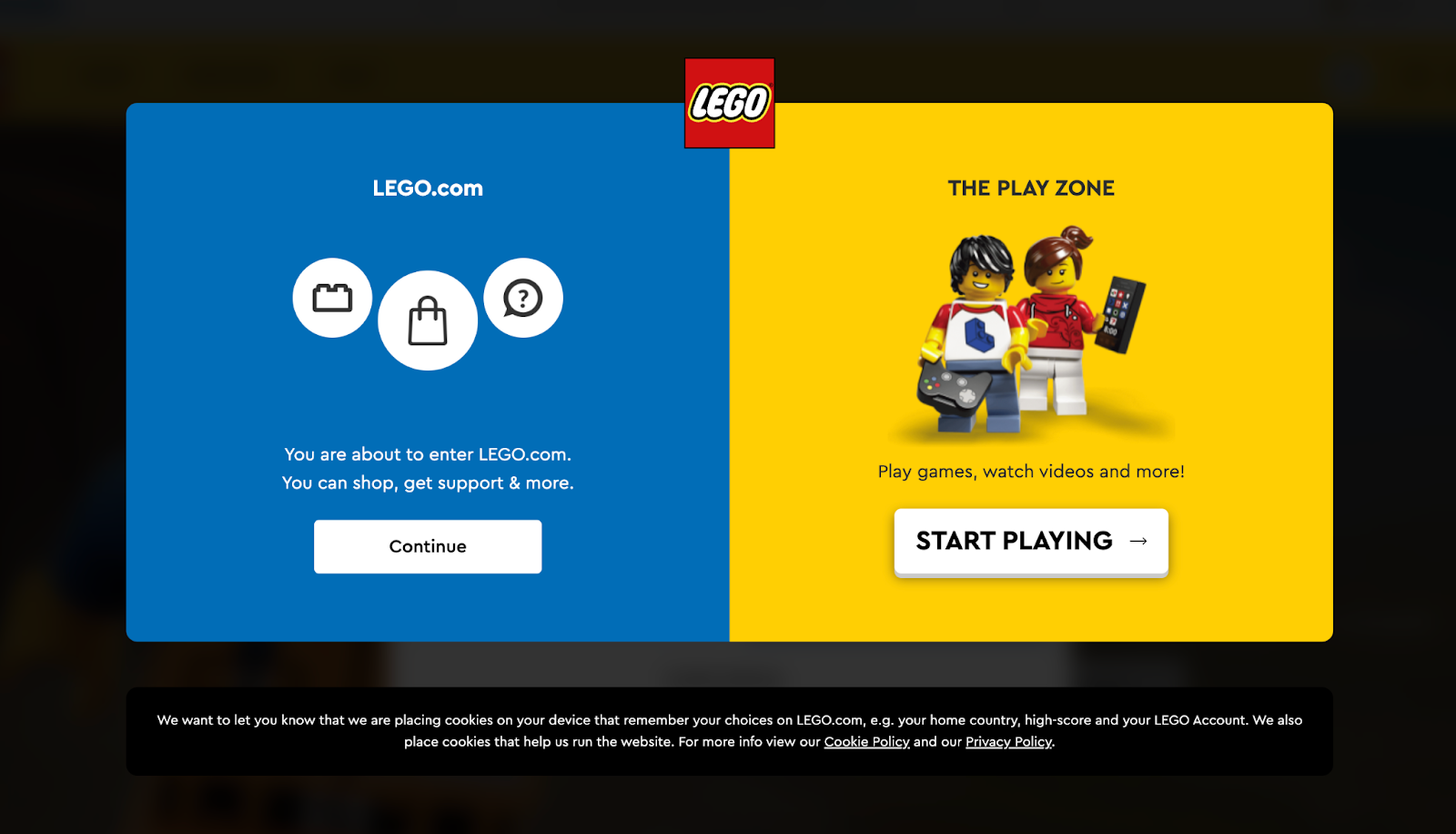
This actually comes up as a popup for Lego once you’ve landed on the (very unique and funny) 404 page. It includes the branding right there at the top, images of lego and links away from the page. Consistently on brand – nice!

A search bar is a great way to make it easy for people to find what they need once they’ve landed on your 404 page. Tripadvisor does this well and additional kudos for the ‘404th wonder of the world’ play on words. We love it!
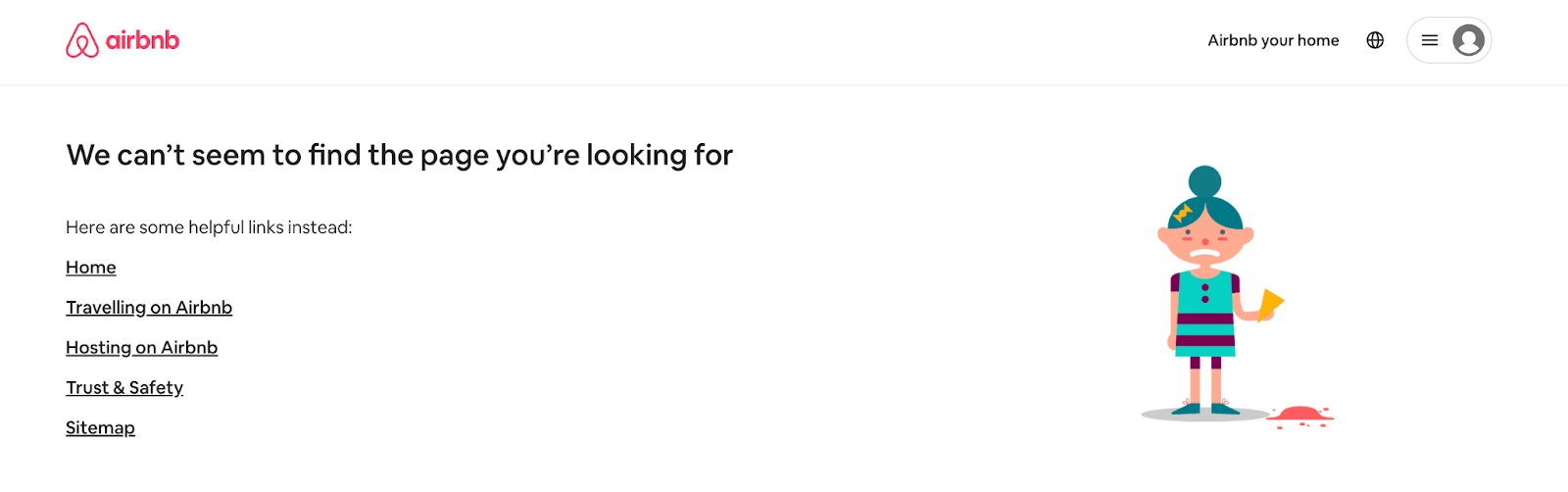
Another way to get the SEO overlords happy with internal links and ensure your users find what they need is by featuring relevant links on your 404 page. Airbnb doesn’t shy away from this – they’ve got five links for you to choose from, with the aim of avoiding higher site exit rates and increasing length of visits.
We can help you with a lot more than that!
We’re experts when it comes to website design and SEO, and we’d love to help you – be that through our free content or a collaboration. Some blogs that you might find super useful include:
And if you’re looking for 1-2-1 help creating and launching a new website or amping up the SEO on a current one, get in touch to book a free consultation!


© Littlebigbox Limited is a company registered in England (Company No. 13663893) Romsey, SO51 6BY. (VAT No. GB448056874). All Rights Reserved · Privacy Policy